Product walkthrough
This walkthrough uses fictional pharmacies in a generic presentation of the purchasing tool. It is not a recording of Halo purchasing records. The recommendations screen is the built-in synthetic example, and it is labelled as one. The figures are examples, not a client result.
-
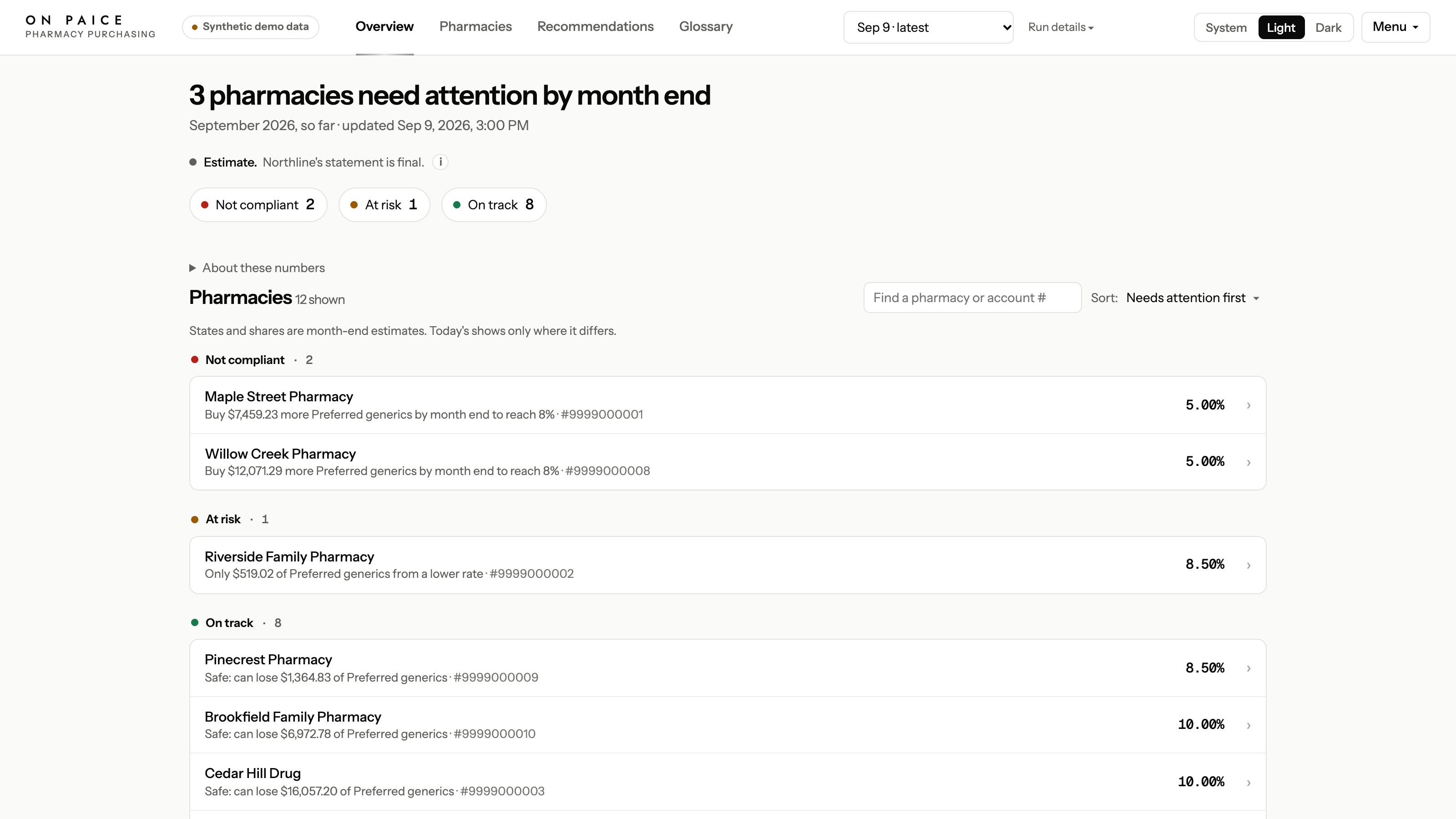
1. Twelve fictional pharmacies. Three are flagged before month end, and eight are on track. -
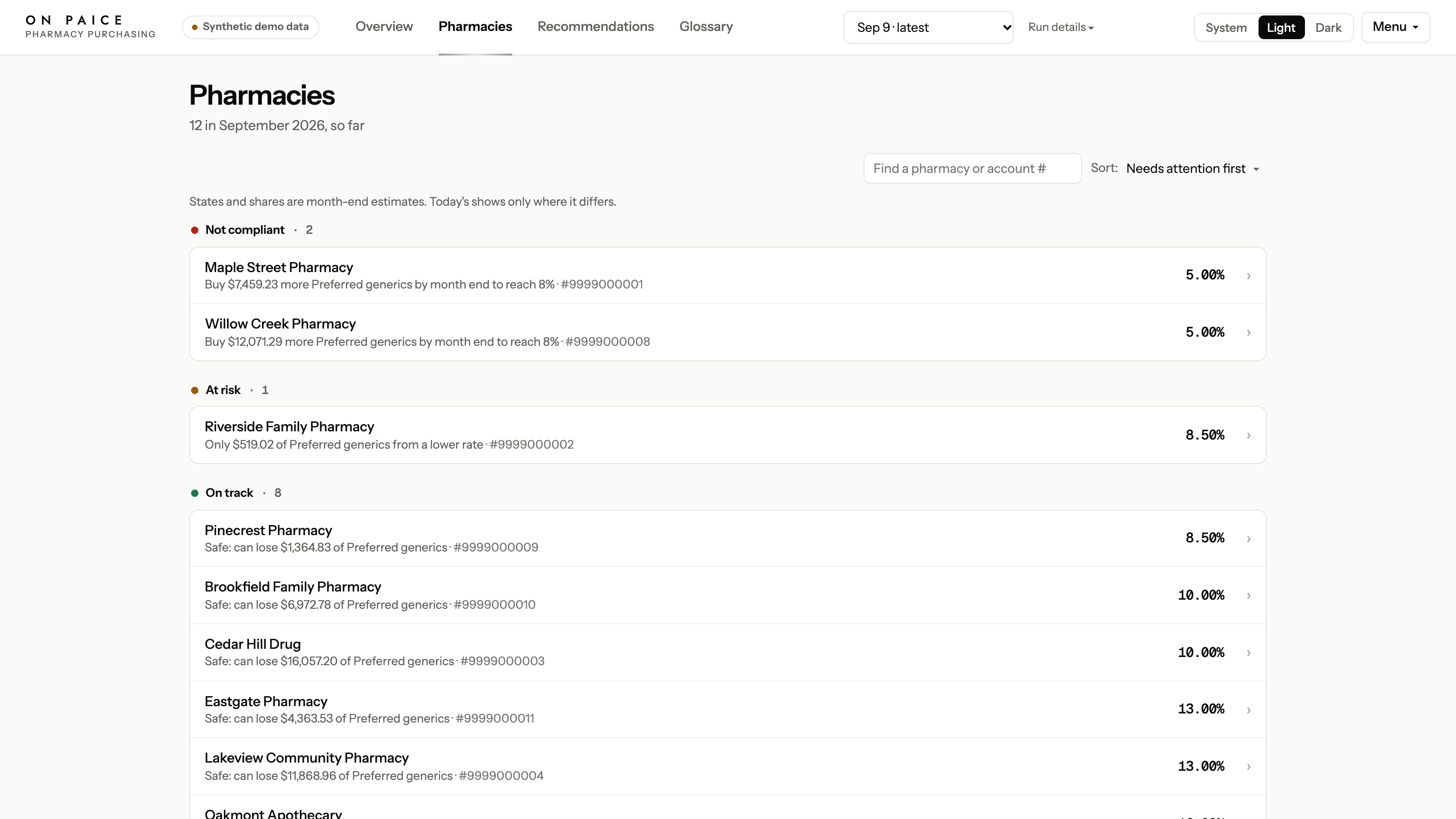
2. The same fictional portfolio as a list. -
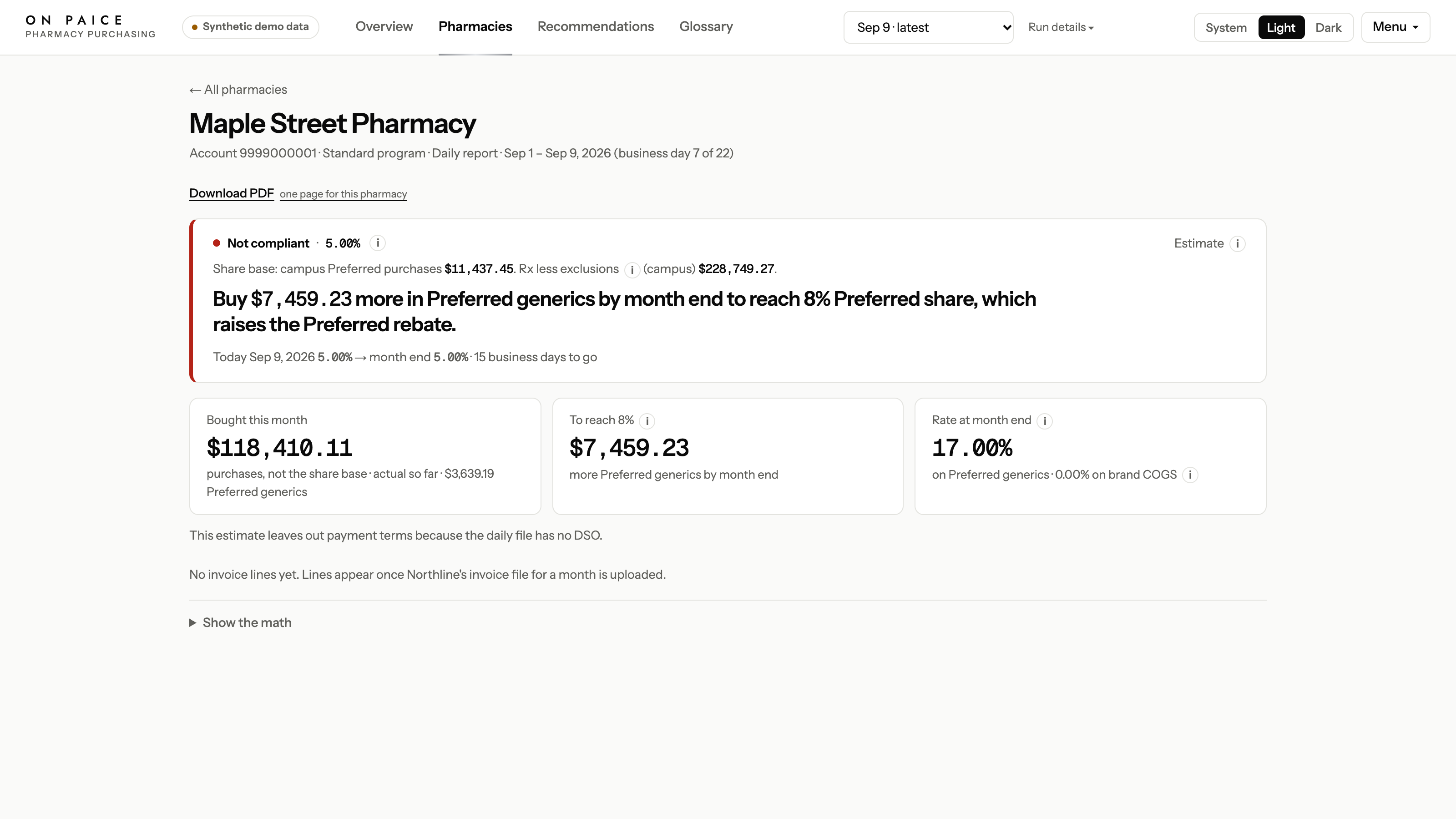
3. One fictional pharmacy, with the gap to the next tier. -
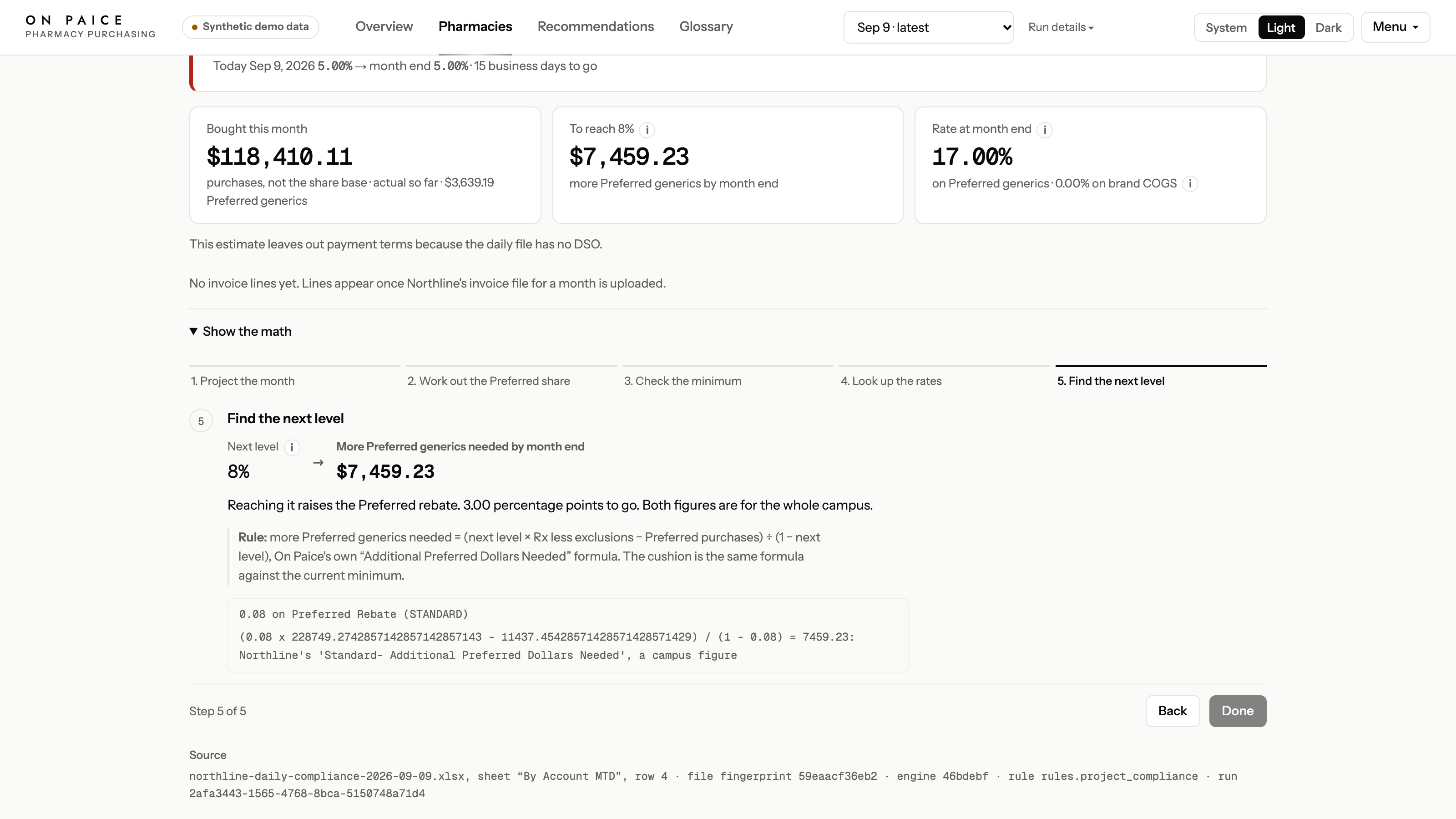
4. The stored rule steps behind that gap. The number is an example from the fictional file. -
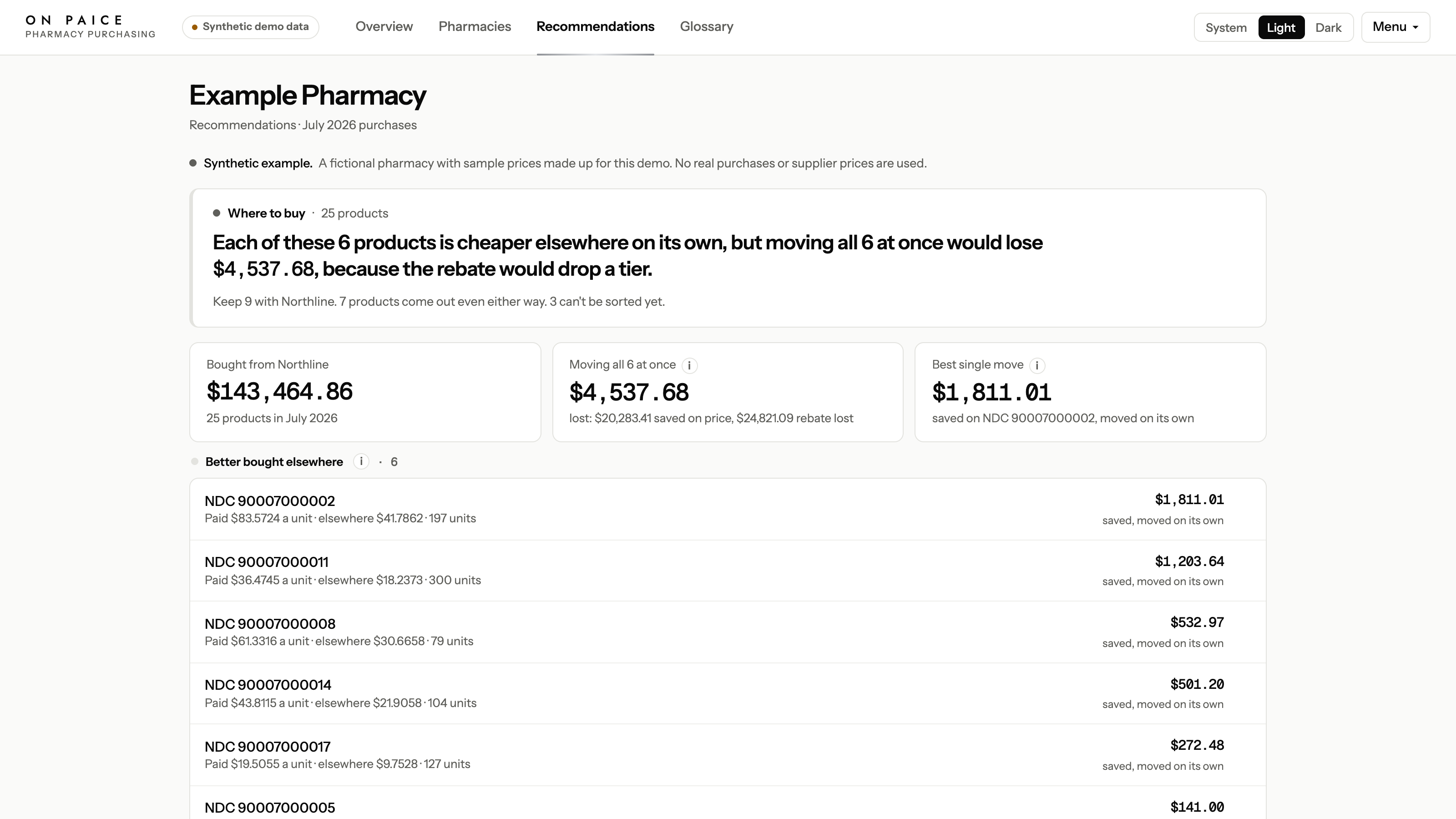
5. Recommendations for a labelled synthetic example, not for the twelve pharmacies above. -
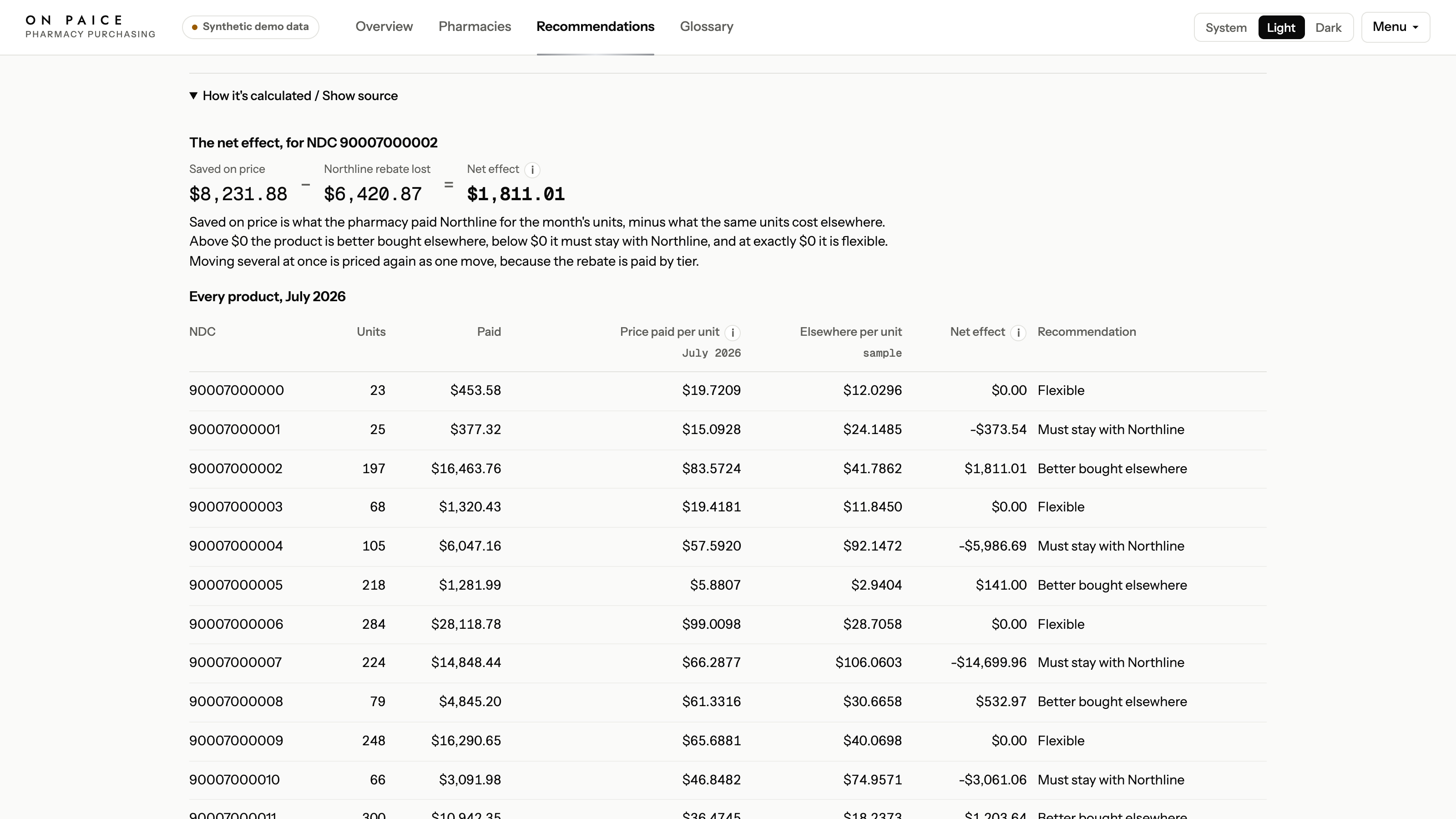
6. The same example, priced as money saved against rebate given up. These are sample figures.